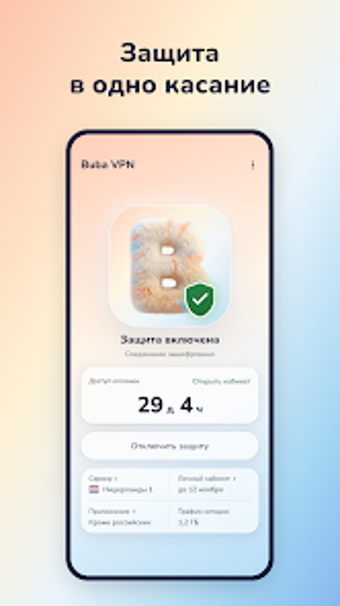
Buba VPN for Android: simple multi-device privacy with clear billing
Masks IP and encrypts network traffic to secure browsing across devices, offering a one-day trial and support for multiple simultaneous connections. Narodniy publishes this Android utility, positioning it as a lightweight privacy option with no registration required for basic use. The app presents a minimalist one-tap connection flow and an explicit no-auto-renewal policy, aimed at users who want straightforward device-wide protection without hidden renewals or complex setup.
What does Buba actually do?
Buba routes Android traffic through an encrypted tunnel and hides the device IP address, protecting browsing and app traffic. The app supports up to seven simultaneous device connections, and new users get a one-day trial to test connection quality. Basic operation does not require account registration, which reduces setup steps: install the app, grant the VPN permission, and tap to connect.
Does it affect device performance during use?
The app is designed for mobile operation on modern Android devices, and its workflow concentrates on quick connect and minimal background interaction. Because it runs as a device-level VPN client, active encryption and routing naturally add processing and network overhead; the one-tap logic reduces foreground management. Specific CPU and memory figures are not published, so measure performance on your device when multiple connections are active.
Is Buba safe to use on a production device?
Buba encrypts internet traffic to enhance privacy and uses a policy that avoids automatic renewals, which removes surprise charges after a trial. The app requires standard VPN permissions to route traffic; it does not force registration for basic use, which limits personal data collection at setup. For any app that intercepts network traffic, verify tunnel stability and server reachability before relying on it for sensitive workflows.
Do you need technical knowledge to operate it correctly?
The interface follows a minimalist one-tap connection model aimed at non-technical users, while the high device allowance targets household or multi-device scenarios. Advanced configuration options are not prominent in the app’s described design, so users who need granular control over protocols, split tunneling, or manual DNS settings may find the surface-level controls insufficient.
Practical judgement and recommended audience
Narodniy’s Android focus and the app’s simple connect model make this VPN a practical pick for users who want fast, low-friction privacy on several devices without automatic renewals. The developer’s move from game-style apps into utilities suggests active app development and iteration. Recommended for households and casual mobile users who prioritise clear billing and easy setup; advanced users should verify protocol options before committing long term.